
Removing a dependent link
To remove an existing dependent link, tap the sidebar menu button and then select Account Management.

Your account members will be displayed, including yourself (Account Owner) and any linked accounts or dependents that you have added to your account.

Tap the row containing the dependent that you want to modify.

Tap the Manage Links button to view/manage existing links.

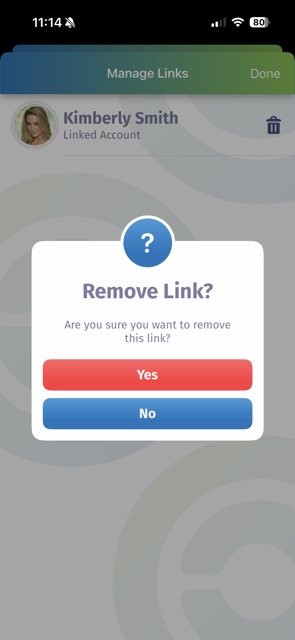
Tap the trash can icon next to the link that you want to remove, then confirm the deletion request by tapping the Yes button on the confirmation dialog. Or, tap No to keep the link intact.
Note: Deleting an existing link will remove all access to that dependent by the target account.